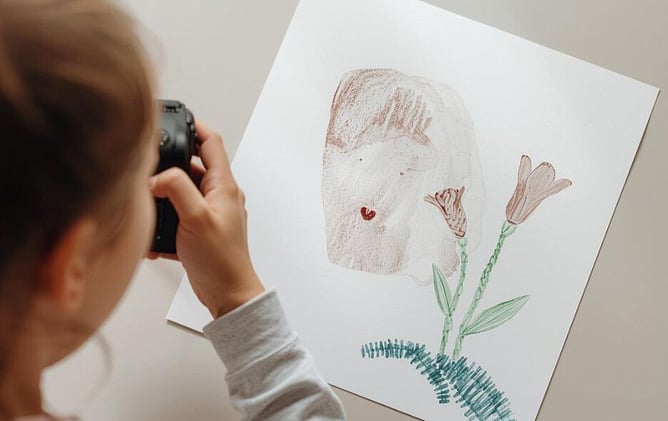
Photographing your child’s artwork at home can be easier than you think. You don’t need special equipment or a perfect setup. A mobile phone is completely fine, and a few small adjustments can make a big difference in capturing colours and details clearly.
If you do have a digital SLR or mirrorless camera, you may get even sharper results with richer colour and less noise, especially in lower light. But it’s absolutely not required as most modern phones take excellent photos when the lighting and angle are right.
Choose soft natural light
Place the artwork near a window where the light is even and gentle. Avoid direct sunlight because it can create harsh shadows and change the colours.
Use a plain background
A white table, a light wooden surface or a neutral sheet works well. A simple background keeps the focus on the artwork.
Keep the camera directly above
Hold your phone or camera straight above the artwork. Make sure the edges of the artwork look straight in the frame. This helps avoid distortion.
Fill the frame
Move closer so the artwork fills most of the photo. Leave a small border around the edges so nothing is cropped out.
Avoid shadows
Check that your body or phone is not casting a shadow. If you see one, shift slightly to the side or adjust the artwork.
Take a few photos
Capture two or three images of each piece. Choose the clearest one later.
Phone vs. Camera - What’s the Difference?
Using a mobile phone
Perfectly fine for most artwork. Phones handle bright, even light very well and produce clean, sharp images when the setup is right.
Using a digital SLR or mirrorless camera
Great if you have one, but not essential. These cameras can:
Capture finer detail, especially in textured or 3D pieces
Produce richer, more accurate colours
Perform better in low light without grain
Give more control over focus and sharpness
A few small adjustments to your setup can make a big difference in getting clear, bright, accurate photos of your child’s artwork.